Everything you need.
Nothing to bolt on.
Kartsy covers the whole job of selling a physical product: the shop, the listings, the stockroom, the order desk, the courier, the invoice, the tax return and the numbers underneath. One product, one login, one bill.

Put the product in front of buyers, wherever they are.
A shop you own outright, one catalogue behind it, and the same products listed on the marketplaces where people are already searching.
A shop that is actually yours
Your own D2C site and checkout, hosted by us. You are not renting a slot in someone else’s marketplace, and you are not one policy change away from losing your customer list.
- Themes and content pages
- Checkout rules
- Discounts and promotions
- Your own domain
Enter a product once
One master record every part of the platform reads from — including every marketplace you list on. Change a price in one place and it is the price everywhere.
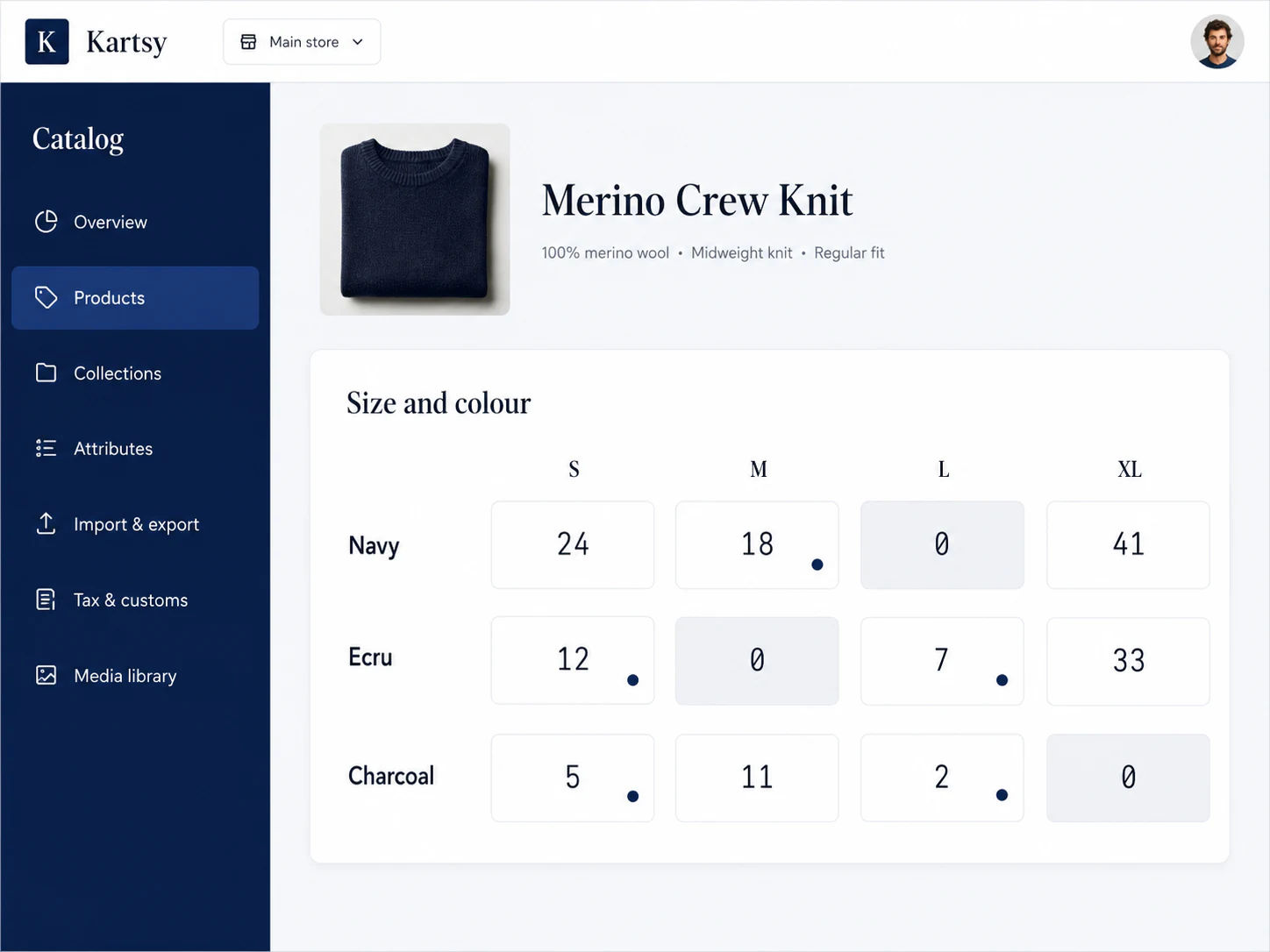
- Size and colour matrix
- Bulk import with a dry run
- Collections and rules
- Image library
List once, sell everywhere
Push your catalogue to the marketplaces you sell on and keep stock and orders in step automatically. One listing manager instead of a browser tab per channel.
- Amazon and eBay
- Stock kept in sync
- Orders pulled into one queue
- Bulk publishing
A product is a grid, not a line in a list.
One tee in four sizes and three colours is twelve things you can actually sell, each with its own price, barcode and count. Set it up once as a grid instead of creating twelve products by hand — and see at a glance which square is empty.
- Sizes and colours as a grid you fill in
- Each square priced and counted on its own
- Empty squares are obvious before a buyer finds them
| Colour | S | M | L | XL |
|---|---|---|---|---|
| Black | 12 | 28 | 19 | 4 |
| Sand | 7 | 15 | 0 | 9 |
| Navy | 21 | 33 | 11 | 6 |
Sand in large is out — at this warehouse, not across the business.
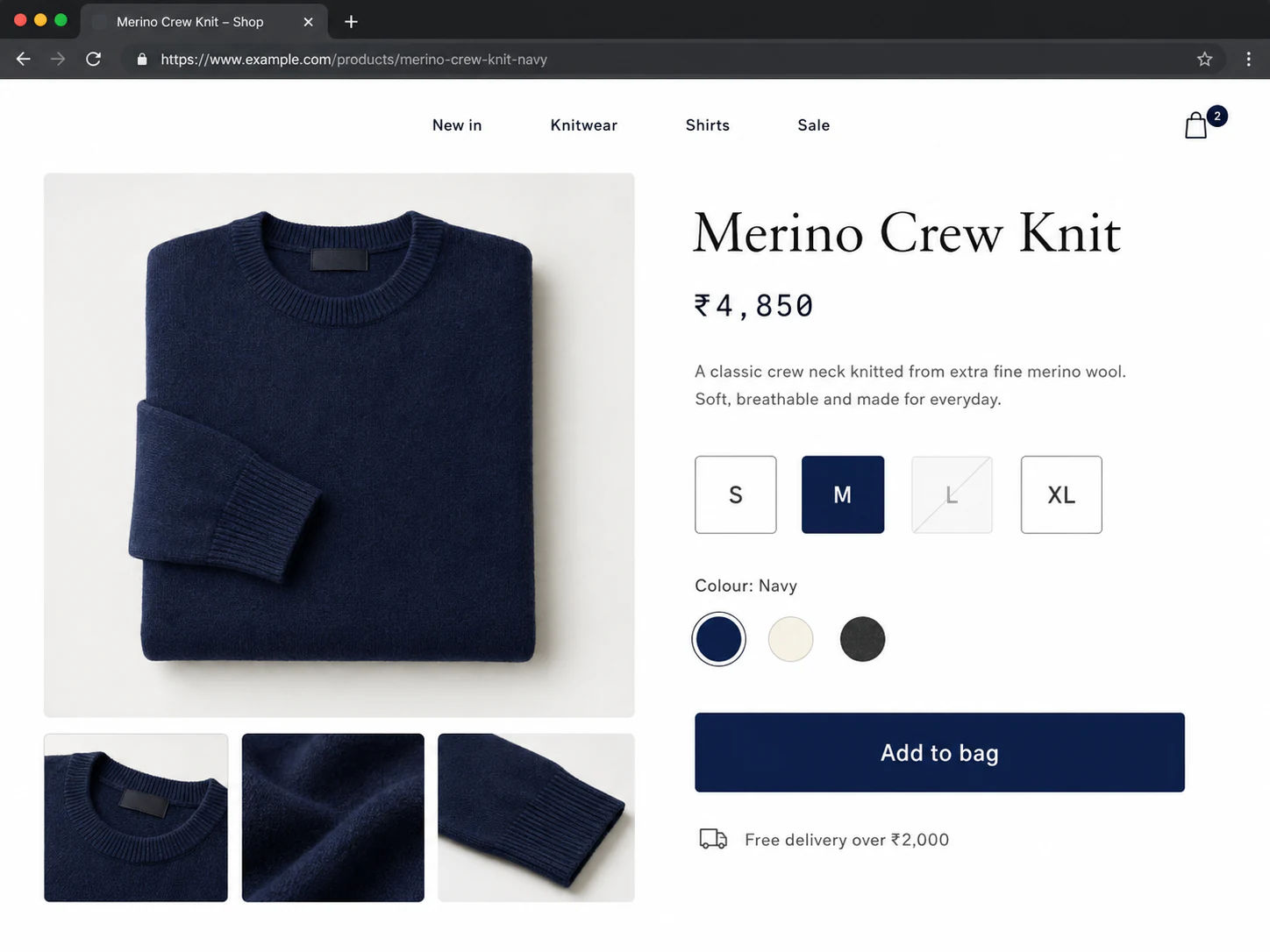
Sell where the buyers already are.
Your own shop builds the brand; marketplaces bring volume. Run both from one catalogue, with stock and orders kept in step, instead of a browser tab and a spreadsheet per channel.
- Amazon
- eBay
- Etsy
Turn an order into a delivered parcel, without the scramble.
Every order in one queue, stock that knows where it lives, and a courier handover that does not involve retyping an address into somebody else's portal.

- 01
Order
A sale lands from your shop or a marketplace, into one queue.
- 02
Stock
The unit is committed from the warehouse that actually holds it.
- 03
Paperwork
Tax is applied and an invoice is issued — no month-end rebuild.
- 04
Ship
A label is bought on your own courier account and handed over.
- 05
Track
The customer follows the parcel on your site, not the courier’s.
Every channel in one queue
Storefront orders and marketplace orders land in the same place, in the same shape. Fulfil, cancel, refund and run a return end to end without opening another system.
- One order book
- Returns and refunds
- Cash-on-delivery confirmation
- Failed-delivery queue
Know what you hold, and where
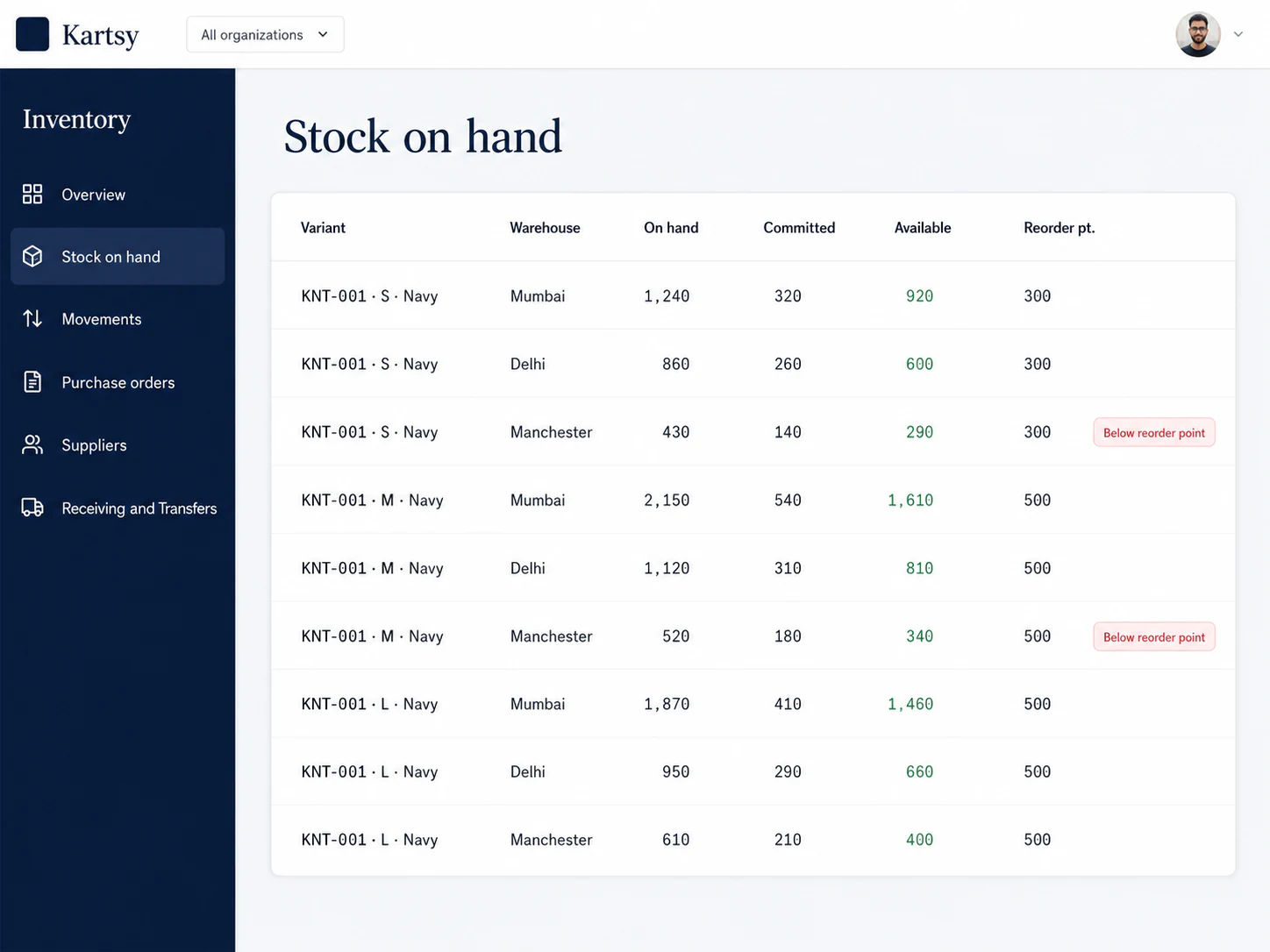
Stock counted per variant, per warehouse — not one number for the whole business. Every movement is on the record, so a discrepancy has an explanation instead of a shrug.
- Multiple warehouses
- Movement history
- Purchase orders and receiving
- Stock counts and transfers
Your couriers, your tracking page
Connect the carrier accounts you already have and keep the rates you already negotiated. We handle labels and handover paperwork — and the tracking page stays on your site.
- Labels and manifests
- Multiple carriers
- Live status updates
- Tracking on your domain

Stock you can explain, not just count.
When the shelf and the system disagree, the useful question is not “how many?” but “what happened?”. Every receipt, sale, transfer and correction stays on the record, so a discrepancy has a story instead of a shrug.
Several warehouses
Counts per location, and orders picked from the one that holds the unit.
Scan to check
Point a scanner at a barcode to see what it is and how many are left.
Purchase orders
Raise an order with a supplier, then book the delivery in against it.
Returns back to shelf
A return puts the unit back where it belongs, or into the damaged pile.
Your courier accounts, your rates.
We do not resell you postage. Connect the accounts you already have, keep the rates you already negotiated, and let us handle the labels, the paperwork and the status updates.
- UPS
- FedEx
- DHL Express
Labels and handover sheets — Printed from the order — no re-keying an address into a courier portal.
One tracking page — Every courier’s updates shown the same way, on your own domain.
Failed deliveries surfaced — A parcel that did not arrive becomes a task, not a surprise complaint.
Invoices and tax handled while the sale is happening.
A correct invoice for every sale and the right tax on it, produced as the order is placed rather than rebuilt from an export at period end.
Paperwork that stands up
A correct invoice for every sale, issued as it happens rather than rebuilt at period end. Once sent, an invoice is never quietly edited — a correction is a credit note, the way it should be.
- Automatic invoices
- Credit notes on returns
- Your branding
- Bulk export for your accountant
The right tax, at the moment of sale
Worked out when the order is placed, not reconstructed afterwards. The buyer sees the right total, the invoice carries the right treatment, and your return is built from real orders.
- Rate by destination
- Business and consumer sales
- Returns prepared for filing
- Full history behind every figure
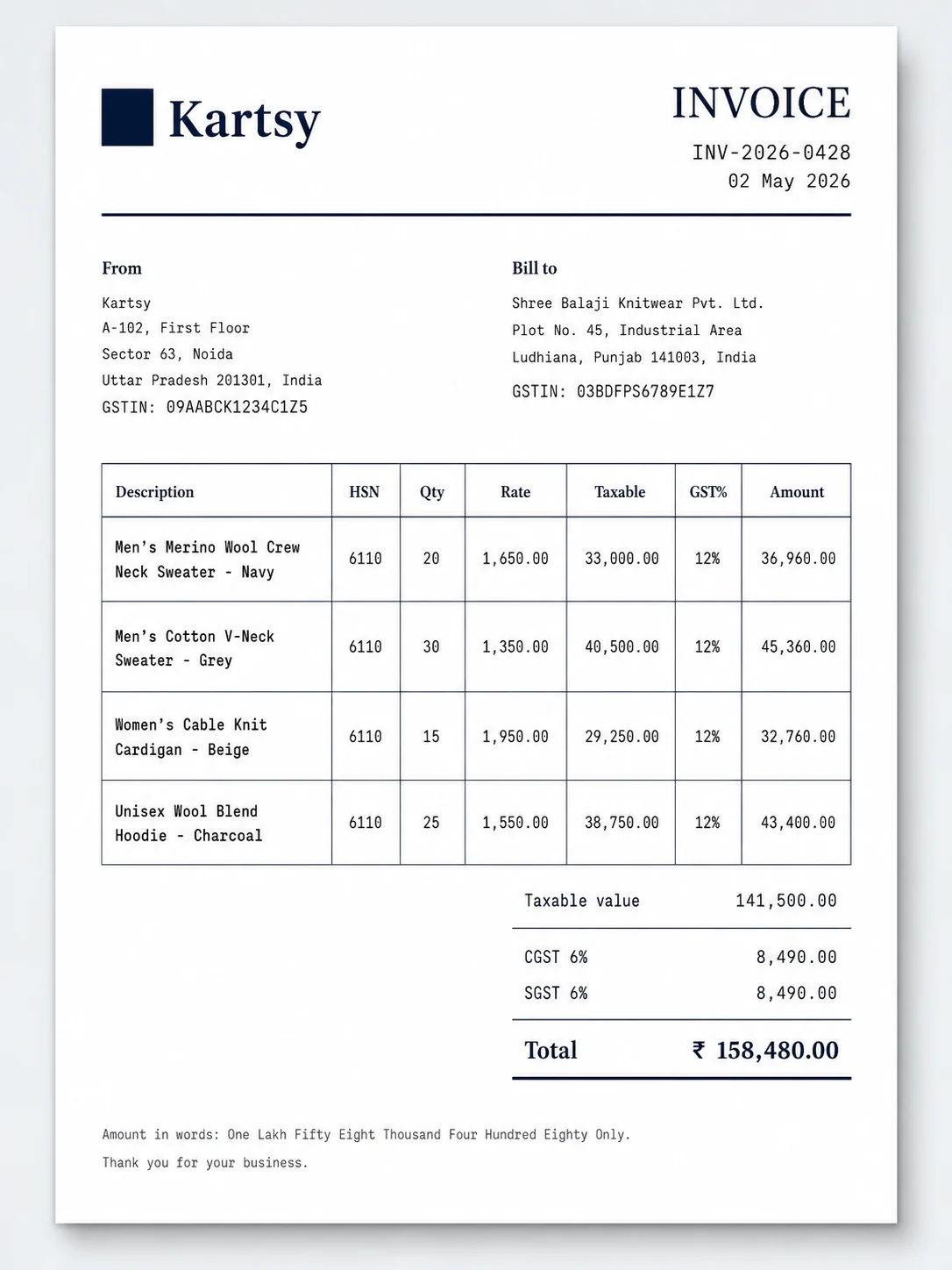
Because the same platform takes the order and issues the invoice, the tax is decided while the sale is happening rather than reconstructed from an export weeks later. That is the whole reason the two live together here — and it is what a bolted-on tax tool structurally cannot do.
How tax worksKnow the real numbers, and decide who can touch what.
What the business actually earned after every cost, who on your team can reach what, and a way out to your own systems when you need one.
What you actually made
Profit after cost of goods, shipping, payment fees and returns — by product, by channel, by month. Plus the questions that follow: who buys twice, what gets sent back, where checkout leaks.
- Profit and loss
- Repeat customers and retention
- Checkout funnel
- Returns analysis
Hire without handing over the keys
Give a packer the picking screens and nothing else. Give your accountant the invoices without the customer list. Every change is recorded, so "who did this, and when" always has an answer.
- Roles and invitations
- Permission per action
- Complete change history
- Login controls
An API when you outgrow the screens
Build your own front end, or push what happens here into the systems you already run. Keys, event delivery and the full reference live inside your account — no sales call to get access.
- REST API
- Scoped keys
- Event webhooks
- Test mode
One plan, no surprise line items
Your subscription, what you have used against it, and your company details. The tax engine is not an add-on and compliance is not a premium tier — it is in the price.
- Usage against your plan
- Company profile
- Upgrade in place
- No per-feature add-ons
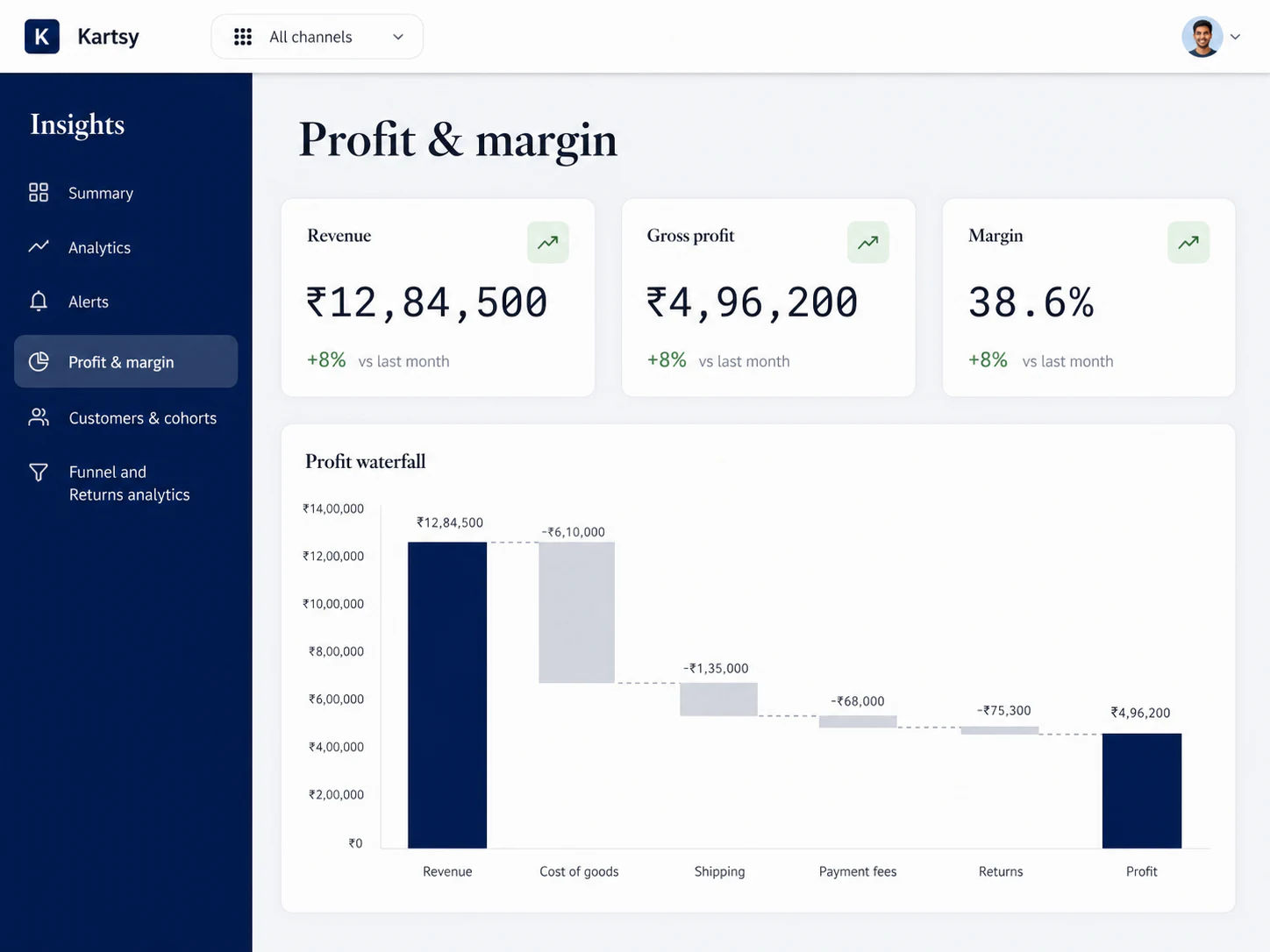
The things you currently guess at.
Not a wall of charts — the handful of answers that change what you do next week.
- Which products actually make money once shipping is counted?
- Which channel is worth the commission?
- How many buyers come back a second time?
- What gets returned, and why?
- Where do people abandon the checkout?
- What is sitting in the warehouse not moving?
Switching should not mean a lost weekend.
You are already trading, so the migration has to happen around live orders. It runs in four steps, and you can stop at any one of them.

- 01
Bring the catalogue
Import your products, variants, prices and images from a spreadsheet, with a dry run first so you see what will happen before it happens.
- 02
Bring the stock
Set up your warehouses and load opening counts. From then on the ledger keeps itself.
- 03
Connect what you already pay for
Your courier accounts and marketplace seller accounts plug in — you keep the rates and the reputation you have earned.
- 04
Go live when you are ready
Run in parallel while you check the numbers agree. Nothing is switched on behind your back.
Your catalogue and your customer list are yours. Export them whenever you like.
Put one order all the way through.
Bring in a few products, place a test order, and watch it pick stock, produce an invoice, apply the tax and print a label. It takes an afternoon to know whether this fits.